
Agency mode and workspace suite
Understand the agency workspace model.
Agency mode turns a workspace into the parent operating layer for client work. It is designed for teams that build, sell, and maintain websites under their own brand.
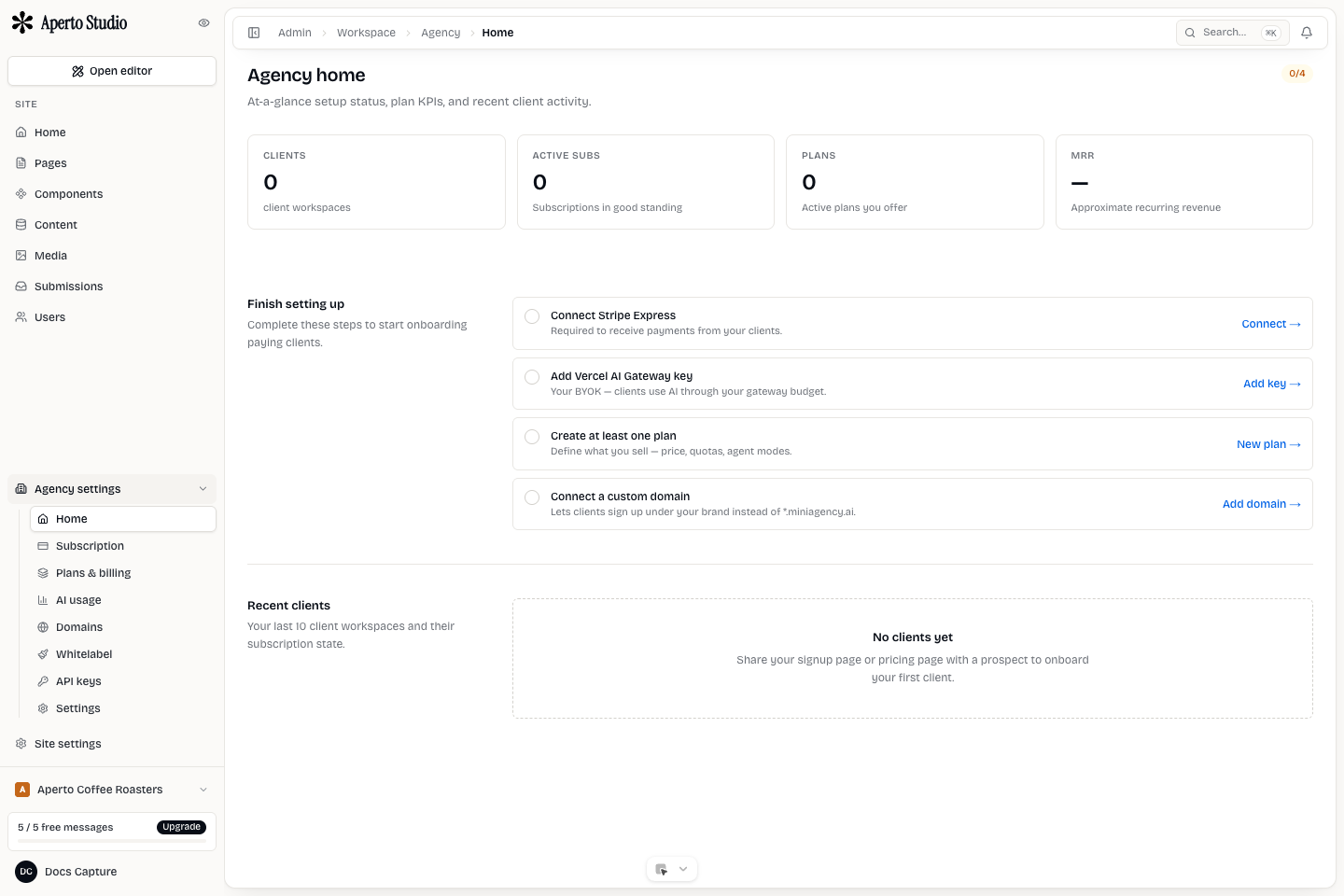
Agency workspace
The agency workspace is where your team configures brand, billing, plans, API keys, domains, and client onboarding. It should represent your business, not a client project.
Only promote a workspace to agency mode when you want it to manage other workspaces. A normal creator workspace is simpler when you only need one site.
Client workspaces
Each client should have its own workspace. That workspace contains the client's site, pages, content, media, submissions, members, and domains. This keeps permission boundaries clean and avoids accidental edits to the wrong client.
Client workspaces can be created by the agency team or through a branded client signup flow. Either way, they should remain attached to the agency parent so billing and access rules are understandable.
Site ownership
A client workspace can contain one or more sites. Most clients start with one site. Add more only when the client really has separate brands, locations, or campaigns that need independent settings and domains.
What to configure first
Before inviting clients, complete the agency setup checklist:
- Confirm agency mode is active.
- Configure white-label branding.
- Add a branded domain when needed.
- Connect billing or payment rails.
- Add BYOK or AI usage policy.
- Create client plans if clients self-serve signup.
- Invite internal team members.