
White-label theming
Configure logo, colors, typography, and domain branding.
White-label theming makes client-facing surfaces feel like your agency product. Configure it before client signup so the first impression is consistent.
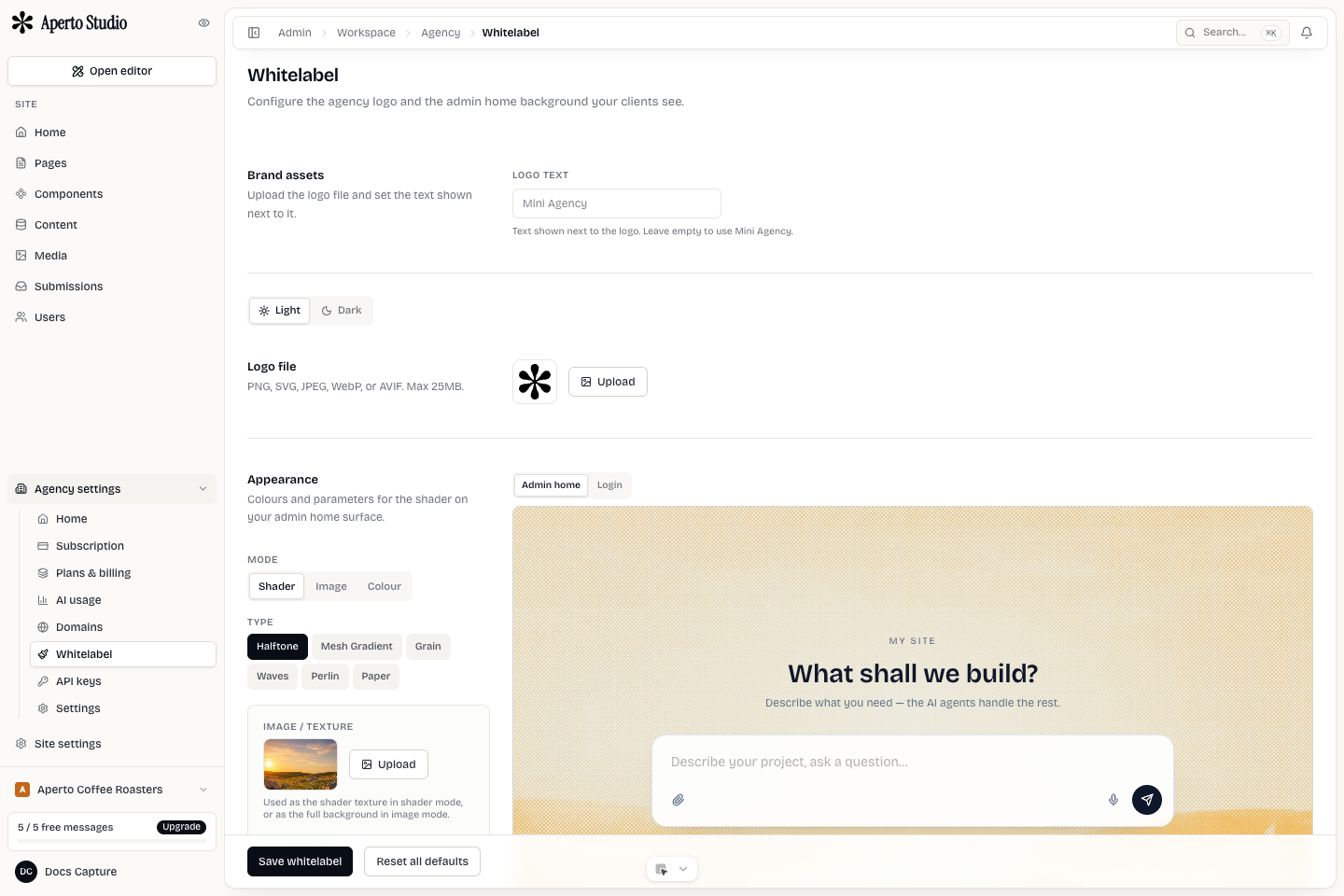
Brand assets
Upload the agency logo and, when needed, a dark-mode logo. Use production-ready assets with transparent backgrounds and enough padding to work in compact UI locations.
Keep a separate favicon or tile mark when the full logo is too wide. Small marks are used in browser tabs, MCP icons, email previews, and compact navigation.
Colors and typography
Set colors that can support real UI states: text, surfaces, accents, borders, focus, and buttons. A brand color alone is not enough. The UI still needs readable neutrals and clear active states.
If you set a custom font, test it in login, admin, and email preview contexts. A font that works in a hero may be hard to read in dense tables.
Branded domains
A branded agency domain can host client-facing entry points such as signup or workspace access. Configure DNS carefully and verify HTTPS before sending clients there. Do not invite clients to an unverified domain.
Email preview
Email preview helps confirm that transactional messages match the agency brand. Check logo size, contrast, CTA button color, footer text, and whether the sender identity is clear.
Launch checklist
- Logo works on light and dark surfaces.
- Primary color passes contrast for buttons and links.
- Login and signup pages show the agency brand.
- Email preview looks consistent.
- Branded domain resolves over HTTPS.
- Support contact details are correct.