
Pages and navigation
Manage pages, slugs, sitemap entries, and site navigation.
Pages define the public routes of a site. Navigation defines how visitors move between those routes. Keep both clean before you polish individual sections.
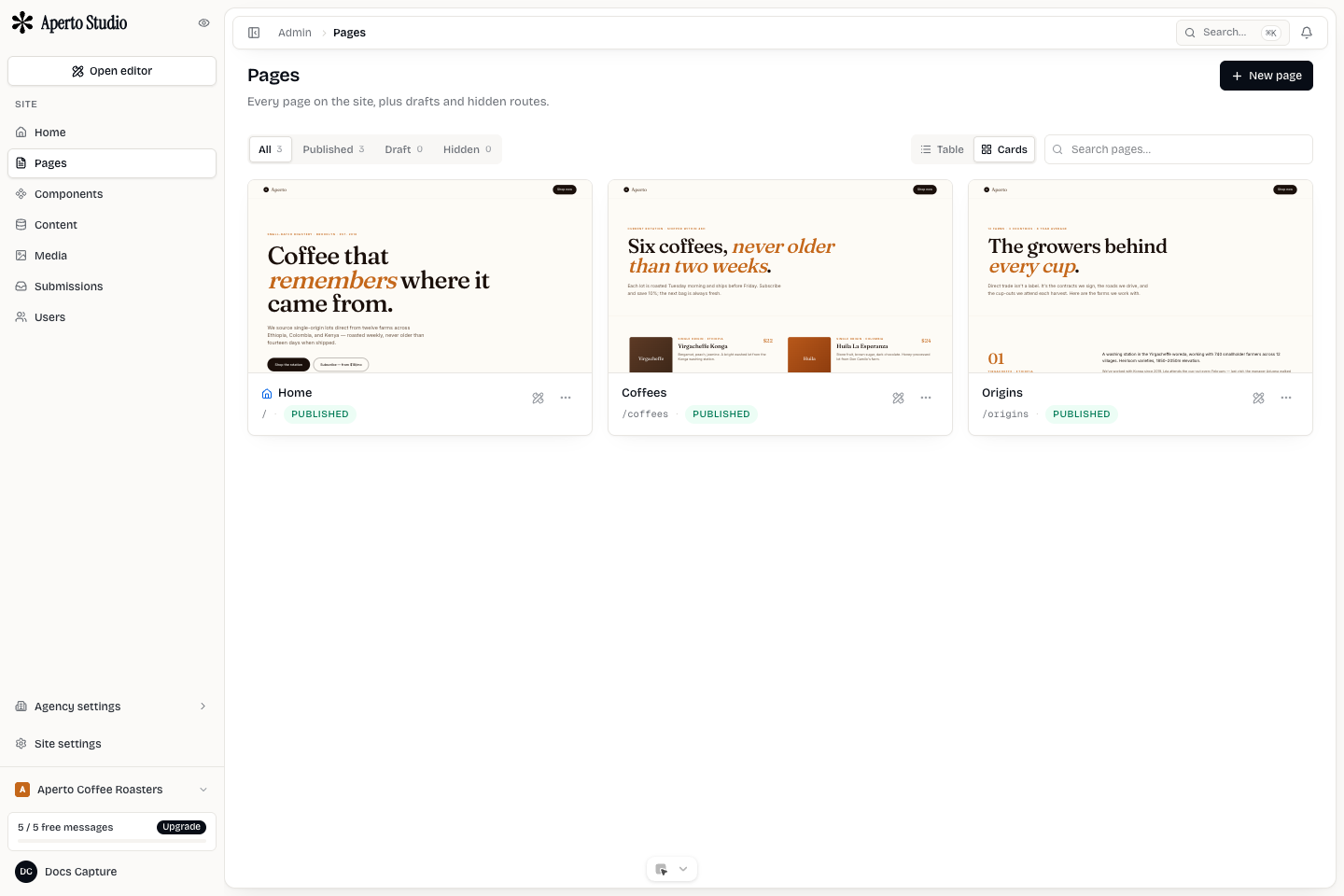
Page inventory
Open Pages from the Admin sidebar. The list shows every page in the active site, including the home page, draft-like pages, hidden pages, and content templates. Use the search field when a site has many pages.
Each page should have a clear title and slug. The title is for humans in the app. The slug is the route visitors use. The home page uses the root route. Other pages should use short, stable slugs such as /about, /services, /pricing, or /contact.
Create a page
Create a page from the Pages screen when the site needs a new public route. Use a working title first, then open the editor to build its sections. Add the page to navigation only when it has useful content.
A good new-page sequence:
- Create the page.
- Set the title and slug.
- Build or insert the main sections.
- Add SEO metadata.
- Preview desktop, tablet, and mobile.
- Add it to the right menu.
- Test the route in staging.
Navigation menus
Menus should represent real visitor paths, not the internal page list. A site can have pages that are not in the main navigation, such as thank-you pages, campaign pages, or CMS single-item templates.
Keep main menus short. Put legal, social, and secondary links in the footer. If a client asks for too many top-level links, group related routes under a dropdown or reduce the menu to the pages visitors need most.
Visibility and home page
Hidden pages stay out of normal visitor paths. Use hidden pages for temporary drafts, landing pages that should only be linked from campaigns, or pages you are not ready to expose.
Only one page should act as the home page. The home page should answer what the site is, who it serves, and what the visitor can do next.
SEO and sitemap basics
Every important page needs a meta title and description. Use the page settings for search and sharing metadata before publishing. Keep metadata specific to the page. Do not reuse the home page description everywhere.
For CMS pages, make sure listing and single-template routes produce unique titles and descriptions from item fields.