
Publishing, domains, and exports
Publish a site, connect a domain, and export static output.
Publishing turns the editor document into a visitor-facing site. Mini Agency separates staging, production domains, and static exports so teams can choose the right delivery path.
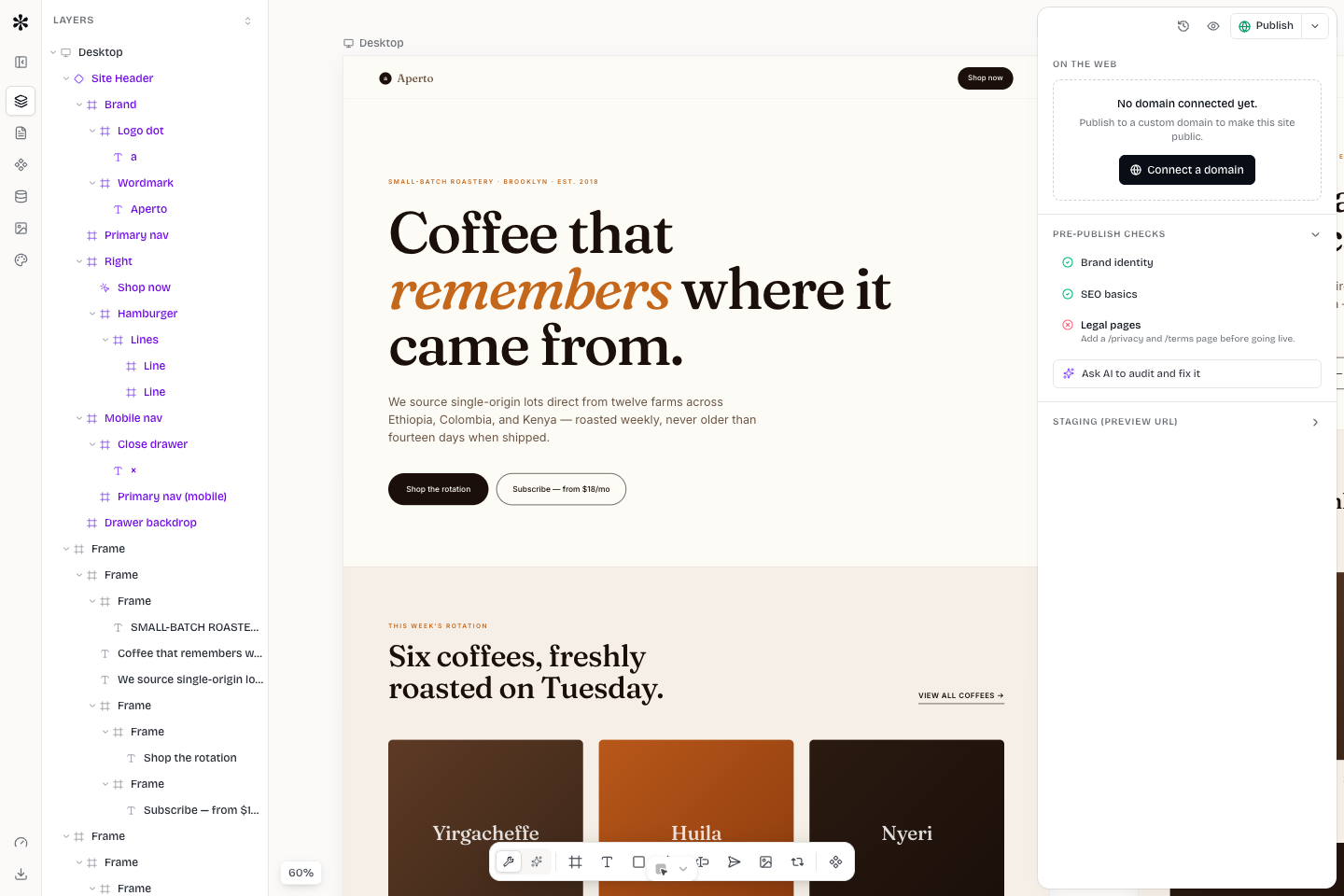
Staging
Staging is the live editor document served under the app domain. It is for review. Depending on access mode, staging can be workspace-only, password protected, or public with no indexing.
Use staging to check content, responsive behavior, forms, and navigation before production. Share staging with clients when you want feedback without changing the public site.
Production publishing
Publishing creates or updates the production version of the site. Production should be deliberate. Before publishing, confirm the page list, SEO metadata, forms, and mobile layouts.
After publishing, open the production URL in a clean browser context. Do not rely only on the editor canvas. The public renderer is the source of truth for visitors.
Custom domains
A custom domain points a client-owned hostname to the published site. Add the domain in the app, then follow the DNS instructions. The exact record depends on the provider and whether the domain is apex or subdomain.
Typical flow:
- Add the domain in Mini Agency.
- Copy the DNS record values.
- Add the records at the DNS provider.
- Wait for propagation.
- Re-run verification.
- Open the HTTPS URL after the certificate is ready.
Do not proxy through another CDN unless the provider instructions explicitly support it. Extra proxy layers can break certificate issuance or domain verification.
Static exports
Static export creates an artifact for teams that need to host the site elsewhere. Exports are useful for handoff, archival, or deployment to a constrained host. Dynamic features need special attention: forms, CMS routes, and generated assets may require runtime services or documented limitations.
Always test an export before sending it to a client. Open several routes, inspect asset paths, and submit a form only if the target host supports the configured endpoint.